Remote Water Meter Reading: How Does It Work?

Remote Water Meter Reading: How Does It Work?

Table of Contents

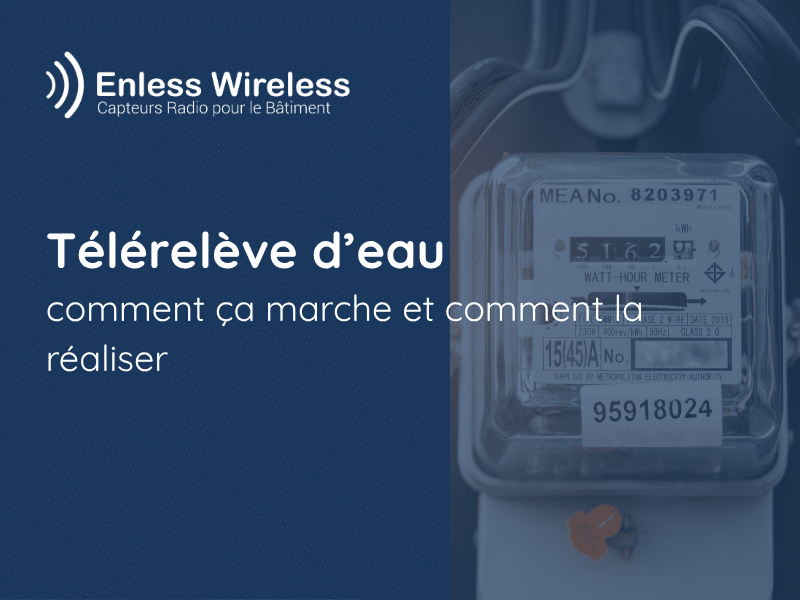
Remote water meter reading allows consumption to be monitored remotely without the need for manual readings. In commercial, multi-unit residential, or industrial buildings, the data can thus be centralized in a " BMS " or a monitoring tool.

The most common method involves connecting the meter’s pulse output to a radio transmitter. The transmitter counts the pulses and regularly sends the meter reading via LoRaWAN or LoRa Easy.

How does remote water meter reading work with Enless?

A remote meter reading system generally consists of four components:

  1. A water meter equipped with a pulse output
  2. A radio transmitter connected to the meter
  3. A LoRaWAN gateway or a LoRa Easy receiver
  4. BMS , or a monitoring platform


The meter generates a pulse each time a specified volume of water is consumed. The transmitter counts these pulses and then sends the reading via radio. The gateway or receiver then converts the data into a format that can be used by the monitoring system.

1. Check the meter's pulse output

Before installation, verify that the meter has a built-in pulse output or that it can accommodate a compatible pulse module.

The key information is:

  • The output type, typically a dry contact or open collector
  • The volume of each pulse, for example, 1 liter or 10 liters per pulse
  • The minimum pulse duration
  • The maximum frequency
  • The wiring and polarity specified by the manufacturer

The pulse weight is used to convert the number of pulses into the volume consumed.

Volume consumed = number of pulses × weight of one pulse

For example, 125 pulses of 10 liters each equal 1,250 liters, or 1.25 m³.

2. Connect a radio pulse transmitter

The radio transmitter does not directly measure water flow. It counts the pulses emitted by the meter and periodically transmits the reading.

The Enless LoRaWAN TX PULSE pulse sensor has two inputs and supports dry contact or open-collector outputs. It supports pulses with a minimum duration of 50 ms and a maximum frequency of 10 Hz.

Before connecting the device, check the meter’s wiring diagram. Enless also recommends limiting the length of the cable connecting the meter to the transmitter to three meters. Detailed diagrams are available in the TX PULSE wiring guide.

3. Choose between LoRaWAN and LoRa Easy

The choice depends on the building's architecture and the monitoring system.

LoRaWAN is suitable for open or scalable deployments. The transmitter can communicate with a private LoRaWAN network, a commercially available gateway, or an operated network.

The Enless LoRaWAN gateway natively decodes Enless sensors and makes their data available in Modbus or BACnet for the BMS.

LoRa Easy is Enless's proprietary protocol. It is designed for projects that use only Enless sensors and require simple integration.

Depending on the model selected, the receiver can transmit data:

  • In the Modbus table
  • In the form of BACnet objects
  • From JSON to an HTTP server

A LoRa Easy receiver can support up to 50 Enless sensors.

4. Enter consumption data into the BMS

Once received, the data can be logged and analyzed in the BMS. The monitoring system can display, among other things:

  • The meter's total reading
  • Daily or monthly consumption
  • Differences between several areas
  • Abnormal Nighttime Consumption
  • Threshold Exceedances

To ensure consistency with the mechanical index, it is recommended that you record the meter reading and the date at the time of initial operation.

Remote meter reading can help detect continuous water usage that may indicate a leak. However, it is not a substitute for a dedicated leak detector. To directly monitor for the presence of water, check out Enless’s water management solutions.

Best Practices for Installation

To improve the reliability of remote water meter reading:

  • Set the mechanical index before starting up the system
  • Check the impulse weight
  • Follow the manufacturer's wiring diagram
  • Protect the transmitter from impact and immersion
  • Test the radio connection before permanently securing it
  • Generate multiple pulses to control the count
  • Check the consistency of the data in the BMS

Which Enless solution should I use?

The TX PULSE enables existing water meters equipped with a pulse output to transmit data. Powered by a battery, it transmits meter readings without requiring an additional communication cable between the meter and the BMS.

It can be used:

  • On public or private LoRaWAN networks
  • With the Enless LoRaWAN gateway
  • In LoRa Easy with a Modbus, BACnet, or HTTP receiver

Discover the full range of Enless solutions for remote meter reading, or contact the Enless team to determine the right architecture for your building.

FAQ on Remote Water Meter Reading

The meter must have a pulse output or be capable of accommodating a compatible module. The type of output and the pulse weight must be verified before installation.

Not necessarily. When a pulse output is already available, a radio transmitter can be added without modifying the hydraulic system.

No. The TX PULSE can operate on LoRaWAN or using Enless's LoRa Easy protocol.

It helps identify unusual consumption patterns using historical data and alerts configured in the monitoring system. Immediate detection of water presence requires a dedicated leak sensor.

Ready to go wireless?

Contact our sales team to learn more about Enless products

You may also like :

Subscribe to the newsletter